
Wispr Flow Review:
Is It Worth It in 2026?
Wispr Flow is best suited for architects, contractors, and real estate agents who spend a lot of time writing emails and reports on the go and want to dictate at speaking speed instead of typing.
We may earn a commission when you purchase through links on our site. Learn more
Best For
Our Overall Rating
Based on comprehensive testing
Best For
- Architects dictating client notes and project updates between site visits
- Contractors logging daily site reports hands-free while on a job site
- Real estate agents drafting listing descriptions and client emails on the go
- Furniture business owners handling correspondence faster without sitting at a keyboard
Pricing
See current pricing on the Wispr Flow website.
Bottom Line
Wispr Flow is best suited for architects, contractors, and real estate agents who spend a lot of time writing emails and reports on the go and want to dictate at speaking speed instead of typing.
Visit Wispr Flow →What Is Wispr Flow?
Overview
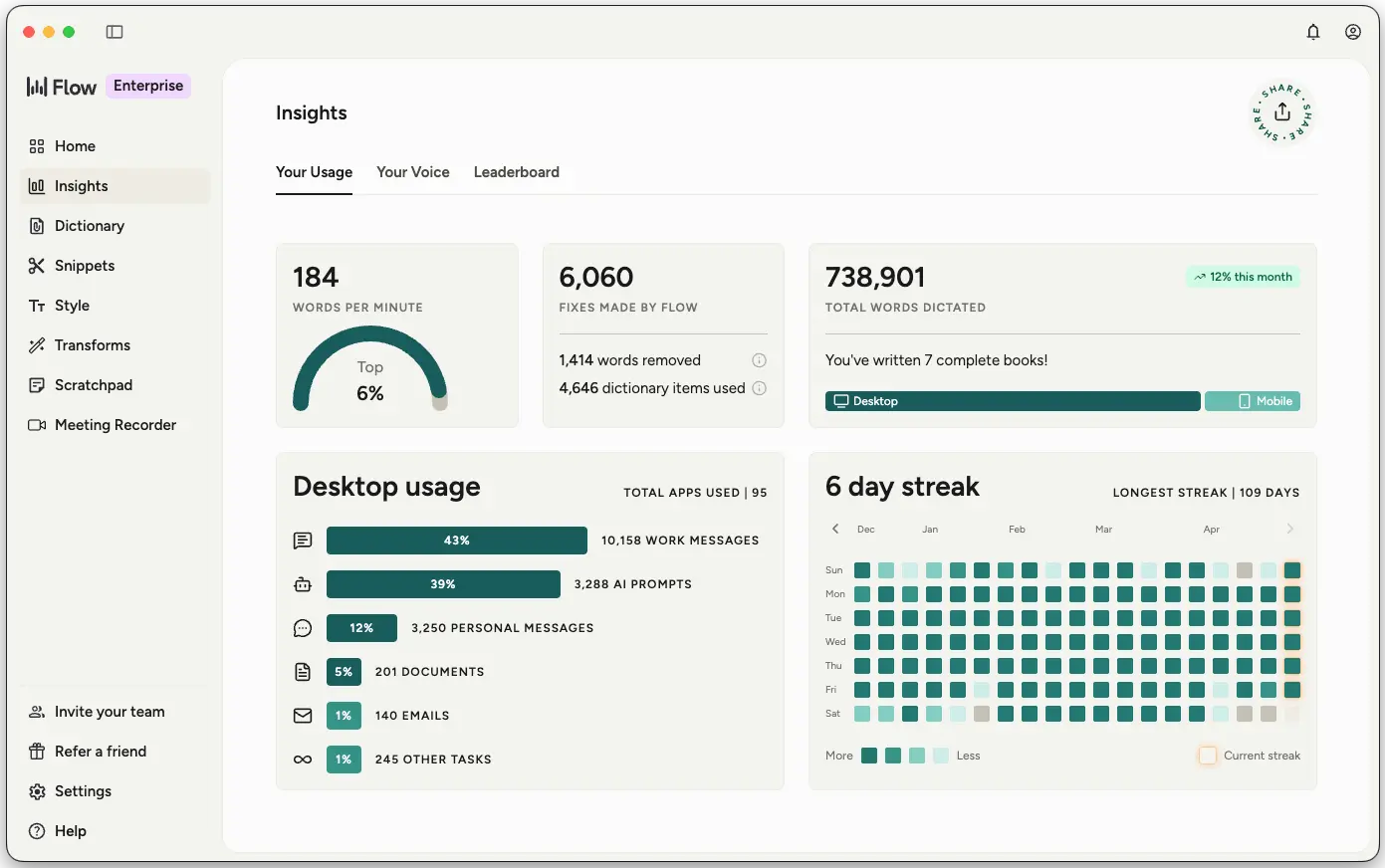
Wispr Flow is a voice dictation tool that lets users write at speaking speed instead of typing, running speech through multiple AI layers that handle transcription, remove filler words, apply punctuation, and correct backtracked statements in real time. Rather than producing a raw, rambling transcript, Flow outputs clean, well-formatted text that adapts its tone based on which app it's being dictated into.
For architects, contractors, and real estate agents who spend significant time writing on the go — between site visits, on a job site, or after a property showing — this matters because dictating is often faster and more practical than typing on a phone or stopping to sit down at a laptop.
This review evaluates Wispr Flow based on its dictation accuracy, editing intelligence, and practical fit for professionals writing on the move heading into 2026.
Key Features
Real-Time AI Editing
Wispr Flow doesn't just transcribe — it removes filler words like "um" and "uh," applies intelligent punctuation, and corrects backtracked statements (saying "meet Tuesday — wait, Wednesday" becomes "meet Wednesday") automatically as you speak.
Adaptive Tone by Application
The tool adjusts the tone of transcribed text based on the app being used, so dictated text sounds appropriately casual in a chat app and appropriately formal in an email or document.
Cross-Platform Availability
Wispr Flow runs on Mac, Windows, iOS, and Android, making it the rare dictation tool available across all four major platforms simultaneously rather than being locked to one ecosystem.
Personal Dictionary & Multi-Language Support
The tool learns and adds unique words to a personal dictionary automatically, and supports dictation in over 100 languages, helping accuracy improve over time with a user's specific vocabulary.
Pros & Cons
Pros
- ✅ Dictation runs roughly 4x faster than typing for most people
- ✅ Automatically removes filler words and fixes backtracked statements while speaking
- ✅ Works across Mac, Windows, iOS, and Android — all major platforms at once
- ✅ Adapts tone automatically based on which app you're dictating into
Cons
- ❌ Works best with a quiet or moderately quiet environment, even though whispering is supported
- ❌ Accuracy on highly technical or industry-specific jargon may need a personal dictionary setup
- ❌ Full feature set and enterprise compliance tiers require a paid plan
- ❌ Habit change is required — dictating effectively is a different skill than typing
Who Is It Best For?
Wispr Flow is the right tool if you:
- Write a lot of emails, notes, or reports while away from a keyboard — on-site, in a vehicle, between meetings
- Want cleaner output than a basic voice-to-text tool without manual editing afterward
- Use multiple devices across Mac, Windows, iOS, and Android and want consistent dictation everywhere
- Are willing to adjust your workflow to speak rather than type for faster output
Wispr Flow is not the right tool if you:
- Work primarily in loud, uncontrollable environments where speech recognition struggles
- Prefer typing and don't see writing speed as a current bottleneck
- Need every word to be 100% accurate without ever reviewing dictated text
Alternatives to Consider
Wispr Flow is strong for fast, AI-cleaned voice dictation, but it is not the only option:
- Grammarly — relevant for correcting typed text rather than converting speech to text
- Notion AI — better if your writing already lives in Notion docs and workspaces
- ChatGPT — useful for drafting and rewriting, though not built around voice dictation specifically
- Merlin AI — comparable browser-based AI assistant with broader summarization features
- Microsoft Copilot — relevant if dictation needs to happen directly inside Word or Outlook
Final Verdict
Wispr Flow earns its place for professionals whose biggest bottleneck is writing speed while away from a proper keyboard. The combination of fast, accurate dictation and real-time AI cleanup — removing filler words, fixing backtracking, adapting tone — produces genuinely usable text rather than a rough transcript that still needs heavy editing.
The main adjustment is habit: dictating effectively is a different skill than typing, and it takes a short period of practice to get comfortable speaking your notes and emails instead of typing them.
Our recommendation: Use Wispr Flow for your next week of on-the-go emails and notes specifically, and compare the time saved against your typical typing speed before deciding how central it becomes to your workflow.
Key Features
Dictation runs roughly 4x faster than typing for most people
Automatically removes filler words and fixes backtracked statements while speaking
Works across Mac, Windows, iOS, and Android — all major platforms at once
Adapts tone automatically based on which app you're dictating into
Best For
Architects dictating client notes and project updates between site visits
Contractors logging daily site reports hands-free while on a job site
Real estate agents drafting listing descriptions and client emails on the go
Furniture business owners handling correspondence faster without sitting at a keyboard
Pros & Cons
What We Like
- Dictation runs roughly 4x faster than typing for most people
- Automatically removes filler words and fixes backtracked statements while speaking
- Works across Mac, Windows, iOS, and Android — all major platforms at once
- Adapts tone automatically based on which app you're dictating into
What We Don't Like
- Works best with a quiet or moderately quiet environment, even though whispering is supported
- Accuracy on highly technical or industry-specific jargon may need a personal dictionary setup
- Full feature set and enterprise compliance tiers require a paid plan
- Habit change is required — dictating effectively is a different skill than typing
Top Wispr Flow Alternatives
View all alternatives →Wispr Flow vs Top Alternatives
| Tool | Best For | Price | AI Quality | Features | Support | Ease of Use | Rating | |
|---|---|---|---|---|---|---|---|---|
 | Architects dictating client notes and project updates between site visits | Contact for pricing | 9.2/10 | Current | ||||
G Grammarly | Cross-niche | Contact for pricing | 8.7/10 | Read Review → | ||||
NA Notion AI | Cross-niche | Contact for pricing | 8.4/10 | Read Review → | ||||
C ChatGPT | Cross-niche | Contact for pricing | 8.1/10 | Read Review → | ||||
MA Merlin AI | Cross-niche | Contact for pricing | 7.8/10 | Read Review → |
Our Wispr Flow Verdict
Wispr Flow is best suited for architects, contractors, and real estate agents who spend a lot of time writing emails and reports on the go and want to dictate at speaking speed instead of typing.
Visit website for full details
Related Articles
View all articles →Best AI Tools for Cross-niche in 2026
Discover the top AI tools transforming the Cross-niche industry.
Read Guide →Wispr Flow vs Top Alternatives: Full Comparison
Side-by-side breakdown of Wispr Flow and its main competitors.
View Comparison →How to Use Wispr Flow to Save Time in Cross-niche
Step-by-step guide for getting the most out of Wispr Flow.
Read More →